Video wall 2x4:What is a 2x4 video wall?
Q: What is a 2x4 video wall?
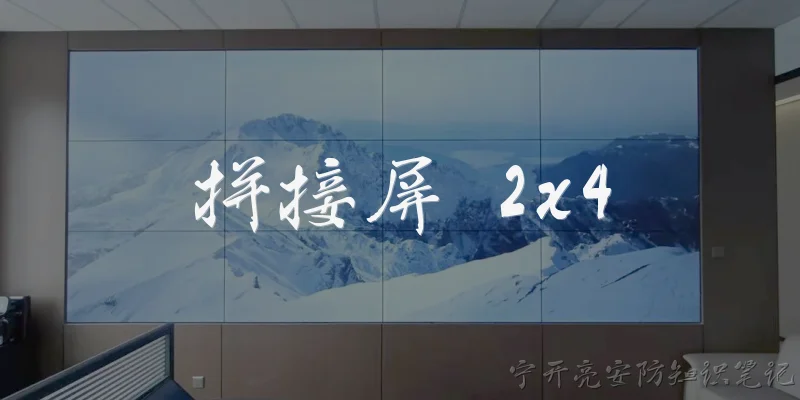
A: A 2x4 video wall is a display setup consisting of eight individual screens arranged in two horizontal rows and four vertical columns. This configuration creates a large, seamless canvas that can show a single image across all screens or multiple different inputs simultaneously. It is commonly used in control rooms, retail spaces, lobbies, and event venues to deliver high-impact visuals. The 2x4 layout offers a wide aspect ratio, making it ideal for displaying widescreen content or data dashboards. Each screen typically has ultra-narrow bezels to minimize gaps and enhance the overall viewing experience.
Q: What are the benefits of using a 2x4 video wall?
A: A 2x4 video wall offers several key benefits. First, it provides a large, immersive display area that captures attention and improves visibility from a distance. Second, it allows flexible content management—you can show one large image across all eight screens or display up to eight different sources at once. Third, the 2x4 aspect ratio is wider than standard 16:9, which suits panoramic content, dashboards, and monitoring applications. Additionally, video walls can be scaled and customized with various mounting options. They also enhance collaboration and information sharing in environments like control rooms, retail stores, and corporate lobbies, making them a versatile and impactful visual solution.
Q: How is content managed on a 2x4 video wall?
A: Content on a 2x4 video wall is managed through a video wall controller or software. The controller takes input from sources like computers, media players, or cameras and splits or combines the signal to fit the 2x4 layout. You can choose to display a single image stretched across all eight screens, or show multiple windows in different zones. Many systems support picture-in-picture, overlays, and real-time data feeds. Advanced software allows scheduling, remote management, and integration with control systems. For simple setups, a matrix switcher can route signals, while complex installations may use IP-based distribution. The key is ensuring the content resolution matches the total pixel count of the wall for optimal clarity.
Q: What should I consider when installing a 2x4 video wall?
A: When installing a 2x4 video wall, consider space, mounting, power, and signal distribution. First, measure the available area to ensure the wall fits and allows for maintenance access. Choose a mounting system—either wall-mounted or floor-standing—that supports the weight of eight screens. Ensure there is adequate power and cooling, as multiple displays generate heat. For signal distribution, use a video wall controller or daisy-chain capable displays. Also, consider the bezel size; ultra-narrow bezels create a more seamless look. Cable management is crucial to avoid clutter. Finally, plan for content sources and network connectivity. Professional installation is recommended to achieve proper alignment and calibration for a uniform image across all screens.
Q: What are common applications for a 2x4 video wall?
A: A 2x4 video wall is commonly used in various settings. In control rooms, it displays multiple data feeds, maps, and surveillance cameras for monitoring. Retail stores use it for dynamic advertising and promotional videos to attract shoppers. Corporate lobbies and boardrooms utilize it for presentations, branding, and video conferencing. Event venues and stadiums employ it to show live feeds, replays, and sponsor messages. In education, it can enhance lectures with multimedia content. Transportation hubs like airports use video walls for flight information and wayfinding. Digital signage in museums and exhibitions also benefits from the large, engaging canvas. The 2x4 configuration is particularly effective when a wide, panoramic display is needed to convey information or create visual impact.
Dialogue about
Common scenarios of "Video wall 2x4"
【Sales Manager】 Good morning, team. We need to discuss the video wall project for the new lobby. The client wants a 2x4 configuration. Any initial thoughts?
【Technical Lead】 A 2x4 video wall means 2 rows and 4 columns, so 8 displays total. We need to consider the size of the space and the viewing distance.
【Project Manager】 The lobby is about 20 feet wide and 15 feet deep. The wall where it will be mounted is 12 feet wide and 9 feet high. We have to fit the 2x4 within that.
【Technical Lead】 If we use 55-inch displays with ultra-narrow bezels, each is about 47.6 inches wide and 26.8 inches tall. In a 2x4, total width would be 4 * 47.6 = 190.4 inches (about 15.9 feet) which is too wide. We need smaller displays or a different arrangement.
【Sales Manager】 That's a problem. The client specifically asked for 2x4. Can we use 46-inch displays? Those are roughly 40 inches wide and 22.5 inches tall. Total width would be 160 inches (13.3 feet), still a bit over 12 feet.
【Technical Lead】 Yes, even 46-inch might be too wide. Maybe 43-inch displays: width about 37.5 inches, so 4 * 37.5 = 150 inches (12.5 feet). Still slightly over. We could adjust the wall or use a different mounting that overlaps bezels? But overlapping is not ideal.
【Project Manager】 The wall is 12 feet exactly. We could potentially recess the displays into the wall or use a mounting system that allows slight overlap. But that might affect the visual experience.
【Sales Manager】 Let's check with the client if they are open to a 2x3 or 3x3 configuration. But they were quite specific about 2x4. Maybe we can propose a 2x4 with smaller displays, like 40-inch? 40-inch is about 34.9 inches wide, so 4 * 34.9 = 139.6 inches (11.6 feet). That fits within 12 feet.
【Technical Lead】 40-inch displays are available but may not be as common for video walls. Also, the height with 2 rows: 2 * 19.6 inches = 39.2 inches (3.3 feet), which is fine for a 9-foot wall. But the resolution per display might be lower; we need to check the client's requirements for content.
【Project Manager】 The client wants to display high-resolution images and videos. With 40-inch displays, if they are 1080p, the total resolution would be 4 * 1920 = 7680 pixels wide, 2 * 1080 = 2160 pixels high. That's actually 8K wide, which is great.
【Technical Lead】 But we need to ensure the content can be scaled appropriately. Also, we need a video wall controller that can handle 8 inputs or a single 8K signal split into 8 displays. That could be expensive.
【Sales Manager】 Let's also consider the budget. The client has allocated $50,000 for the video wall. We need to include displays, mounts, controllers, installation, and possibly content management software.
【Technical Lead】 8 commercial-grade 40-inch displays might cost around $1,000 each, so $8,000. Mounts: $200 each, $1,600. Video wall controller: maybe $5,000. Cables and accessories: $1,000. Installation: $3,000. Total around $18,600. That leaves room for content creation and software.
【Project Manager】 That seems within budget. But we should also consider the bezel size. For a seamless look, we need ultra-narrow bezels, which might be more expensive. Let's look at options from Samsung, LG, and NEC.
【Sales Manager】 I'll reach out to our vendors for quotes on 40-inch ultra-narrow bezel displays. Also, we should prepare a mockup to show the client how it would look in the space.
【Technical Lead】 I can create a 3D rendering with the dimensions. We also need to consider the mounting height. The center of the wall is 4.5 feet from the floor. The video wall height is 3.3 feet, so it would be from 2.85 feet to 6.15 feet from the floor. That seems reasonable for viewing.
【Project Manager】 Yes, that's good. We also need to plan for power and data cabling. There should be enough outlets behind the wall. We might need to add a dedicated circuit.
【Sales Manager】 I'll coordinate with the facilities team. Let's aim to present the proposal to the client by next week. Any other concerns?
【Technical Lead】 We should also discuss the content management. The client might want to display different content on each screen or one large image. We need to recommend a solution that is user-friendly.
【Project Manager】 I'll include that in the proposal. Let's meet again on Friday to finalize the details. Thanks, everyone.