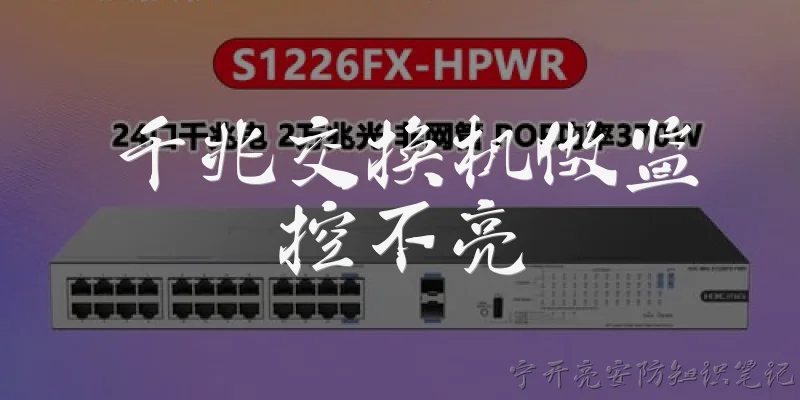
Managed Switch Fiber Transmission:What is a managed switch and how does it handle fiber transmission?
Q: What is a managed switch and how does it handle fiber transmission?
A: A managed switch is a network device that allows administrators to control, prioritize, and monitor traffic through features like VLANs, QoS, and SNMP. When it comes to fiber transmission, a managed switch often includes SFP or SFP+ slots that accept fiber optic transceivers. This enables the switch to send and receive data over fiber cables instead of copper Ethernet. Fiber transmission offers several advantages: it supports much longer distances—up to several kilometers with single-mode fiber—and is immune to electromagnetic interference. In a managed switch, you can configure each fiber port individually, set speed and duplex settings, enable link aggregation for higher bandwidth, and monitor optical power levels. This makes managed switches ideal for backbone connections, inter-building links, or any environment where reliable, high-speed, long-distance data transfer is required. The management interface also helps troubleshoot fiber link issues, such as signal loss or module faults, by providing detailed statistics and alerts.
Q: What are the key benefits of using fiber transmission with a managed switch?
A: Combining fiber transmission with a managed switch delivers multiple benefits. First, distance: fiber can span kilometers, far exceeding copper's 100-meter limit, making it perfect for campus or metropolitan networks. Second, bandwidth: fiber supports speeds from 1 Gbps to 100 Gbps and beyond, and managed switches can aggregate multiple fiber links for even higher throughput. Third, reliability: fiber is immune to electromagnetic interference (EMI) and radio frequency interference (RFI), ensuring stable data transmission in industrial or electrically noisy environments. Fourth, security: fiber is harder to tap than copper, and managed switches add access control lists and port security. Fifth, manageability: you can monitor fiber link status, optical power, and error rates via the switch's web interface or SNMP. You can also configure redundancy protocols like RSTP or ERPS to prevent loops and ensure failover. Finally, scalability: adding new fiber connections is easy with hot-swappable SFP modules, allowing network growth without major downtime. These benefits make managed fiber switches a cornerstone of modern, high-performance networks.
Q: How do you configure fiber transmission on a managed switch?
A: Configuring fiber transmission on a managed switch involves several steps. First, insert a compatible fiber optic transceiver (e.g., SFP, SFP+) into the switch's slot. Ensure the transceiver matches the fiber type (single-mode or multimode) and connector (LC, SC). Second, connect the fiber patch cable, ensuring the transmit (Tx) on one end goes to receive (Rx) on the other. Third, access the managed switch's interface via console, web GUI, or CLI. Fourth, navigate to the port configuration for the fiber port. Set the desired speed (e.g., 1G, 10G), duplex mode (usually full), and enable the port. Fifth, if needed, configure VLANs, link aggregation (LACP), or QoS policies for that port. Sixth, monitor the link status: check for light on the port LED and verify optical power levels in the switch's diagnostics. Finally, save the configuration. For troubleshooting, check for mismatched transceivers, dirty connectors, or excessive bend radius in the fiber cable. Always follow the switch vendor's documentation for specific commands and supported modules.

Dialogue about
Common scenarios of "Managed Switch Fiber Transmission"
【Network Engineer】 Hi, I'm designing a network for a campus building and considering managed switches with fiber uplinks. Can you explain the benefits of using fiber transmission with managed switches?
【Network Consultant】 Absolutely. Managed switches with fiber ports offer longer distance transmission—up to several kilometers—compared to copper's 100-meter limit. Plus, fiber is immune to electromagnetic interference, making it ideal for noisy industrial environments or between buildings.
【Network Engineer】 That makes sense. What types of fiber and transceivers are commonly used with managed switches?
【Network Consultant】 Typically, you'll use SFP or SFP+ transceivers. For multimode fiber, you can use 850nm or 1300nm wavelengths; for single-mode, 1310nm or 1550nm. Multimode is cheaper for short distances up to 550m, while single-mode supports longer runs up to 10km or more.
【Network Engineer】 Got it. How do managed switches handle VLANs over fiber links?
【Network Consultant】 Managed switches support VLAN tagging (802.1Q) on fiber ports just like on copper ports. You can configure trunk ports to carry multiple VLANs over a single fiber link, which is common for inter-switch connections.
【Network Engineer】 What about redundancy? Can I set up link aggregation or spanning tree over fiber?
【Network Consultant】 Yes, you can configure LACP link aggregation to bundle multiple fiber links for increased bandwidth and redundancy. Also, RSTP or MSTP can prevent loops and provide failover if one fiber link goes down.
【Network Engineer】 Are there any challenges with fiber and managed switches I should be aware of?
【Network Consultant】 One challenge is cleaning and maintaining fiber connectors to avoid signal loss. Also, compatibility between transceivers and switch brands can be an issue—some vendors lock their SFP slots. Ensure you buy compatible optics or use coding keys.
【Network Engineer】 How about monitoring and diagnostics? Can managed switches report fiber link status?
【Network Consultant】 Definitely. Managed switches provide digital diagnostic monitoring (DDM) for SFP modules, showing optical power levels, temperature, and voltage. You can also get alerts for link loss or high bit error rates via SNMP or syslog.
【Network Engineer】 That's useful. What about security on fiber links? Is it more secure than copper?
【Network Consultant】 Fiber is harder to tap without detection compared to copper, but it's not immune. Managed switches can enforce port security, 802.1X authentication, and MAC filtering on fiber ports. You can also encrypt traffic at higher layers.
【Network Engineer】 Can I mix fiber and copper ports on the same managed switch?
【Network Consultant】 Absolutely. Most managed switches come with combo ports (RJ45 + SFP) or separate fiber and copper ports. You can use copper for access ports and fiber for uplinks or backbone connections.
【Network Engineer】 What about power over Ethernet? Does that work over fiber?
【Network Consultant】 No, PoE requires copper to carry power. Fiber only carries data. If you need PoE to devices like IP cameras or access points, you'll need a media converter or a switch with copper PoE ports at the edge.
【Network Engineer】 I see. So for a building-to-building link, what would you recommend?
【Network Consultant】 For building-to-building, use single-mode fiber with managed switches at each end. Configure the ports as trunk links with VLANs, enable RSTP, and use SFP modules with DDM for monitoring. That gives you reliable, high-bandwidth connectivity over distance.
【Network Engineer】 What about firmware updates? Do managed switches require regular updates for fiber features?
【Network Consultant】 Yes, firmware updates can fix bugs, improve performance, and add new features. Always check the release notes for fiber-related enhancements or security patches. Schedule updates during maintenance windows.
【Network Engineer】 Are there any standards I should follow for fiber cabling and connectors?
【Network Consultant】 Follow TIA/EIA-568 for structured cabling. Use LC or SC connectors; LC is more common for high-density. Ensure proper polishing (PC, UPC, APC) and match the connector type on both ends. Also, adhere to bend radius and pull tension specs.
【Network Engineer】 What about troubleshooting a fiber link that goes down?
【Network Consultant】 Start by checking the switch logs for link down events. Use an optical power meter to measure received power. Inspect connectors for dirt or damage. Swap transceivers or patch cords to isolate the issue. Managed switches often have cable diagnostics for fiber, too.
【Network Engineer】 Can managed switches do loopback testing on fiber ports?
【Network Consultant】 Some high-end managed switches support loopback tests or far-end fault detection. You can also use external loopback modules. But typically, you'd rely on DDM and link status rather than active loopback.
【Network Engineer】 What about QoS over fiber? Any differences?
【Network Consultant】 QoS operates at Layer 2/3 and is independent of the physical medium. Fiber just provides the bandwidth. Managed switches can prioritize traffic over fiber links the same way as copper, using 802.1p or DSCP.
【Network Engineer】 Thanks, that's very comprehensive. Any final tips for deploying managed switches with fiber?
【Network Consultant】 Plan your fiber topology, use consistent transceivers, label everything, and keep spare optics. Document VLAN and link aggregation configurations. And always test before going live. With managed switches, you'll have full visibility and control over your fiber network.